
SmartBus continues to improve to make school transportation faster, safer, and easier to manage. This month’s updates focus on better trip planning, improved dashboard insights, stronger alert handling, and enhanced visibility for managers and resellers. Each feature is designed to save time, reduce manual work, and provide clearer information to all users.
1. Faster Trip Creation Using Student Locations
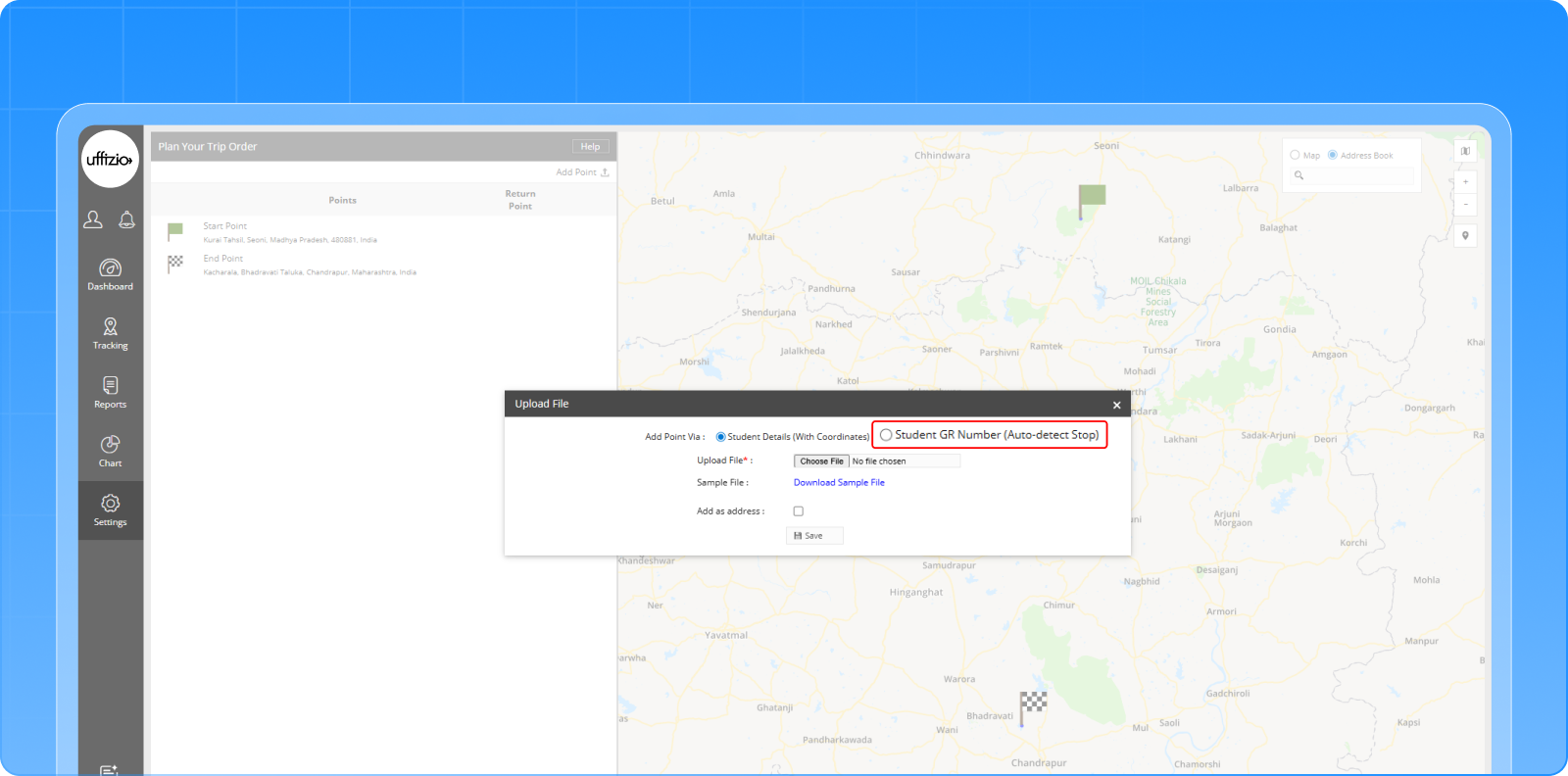
We have added a smarter way to create trips. Now, you can upload Student GR Numbers and SmartBus will automatically detect their pickup or drop locations to create checkpoints. No need to upload coordinates manually.
Benefits:
- Saves time with quick trip setup
- Reduces manual errors
- Groups nearby students into one stop for cleaner routes
- Ensures accurate checkpoints based on trip type (Pickup/Drop)
2. New and Improved Dashboard Widgets
The SmartBus dashboard has now been enhanced to give admin and school users clearer visibility of daily operations. The updated widgets now provide real-time and historical insights into delays, vehicle halts, and checkpoint activity making monitoring easier and more accurate.
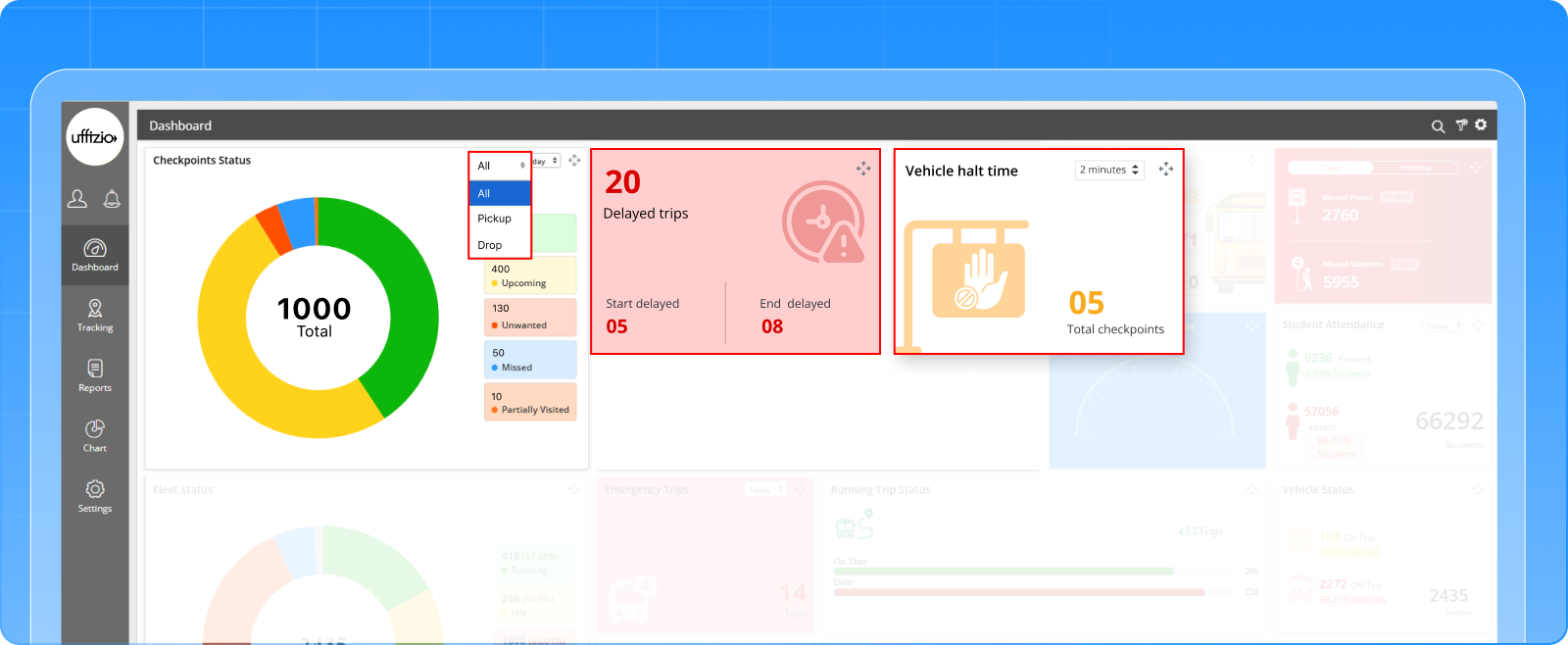
The Checkpoint Status widget now includes a date filter for viewing past records and a trip-type filter for Pick-Up, Drop-Off, or All trips. This helps users understand both current trends and historical performance.
Two new widgets have also been added:
1. Delayed Trips Widget
This widget shows how many trips started late or ended late based on estimated timings. Users can click the widget to view detailed information like trip name, vehicle, delay duration, and trip type. It helps schools quickly identify and address delays.
2. Vehicle Halt Time Widget
This widget highlights stops where a bus waited longer than a set threshold (default 2 minutes). Users can check detailed halt information including checkpoint, vehicle number, halt duration, and arrival/departure times making it easier to monitor driver behavior and improve punctuality.
All widgets refresh with real-time data and are accessible to admins, schools, resellers, and sub-users under the School Trip dashboard group.
Benefits:
- Provides deeper visibility into delays and operational issues
- Helps schools act quickly on late trips or long halts
- Enables better historical and real-time monitoring
- Improves decision-making through detailed trip insights
- Creates a more interactive and data-rich dashboard experience
3. Event-Based Temperature & Humidity Alerts Added
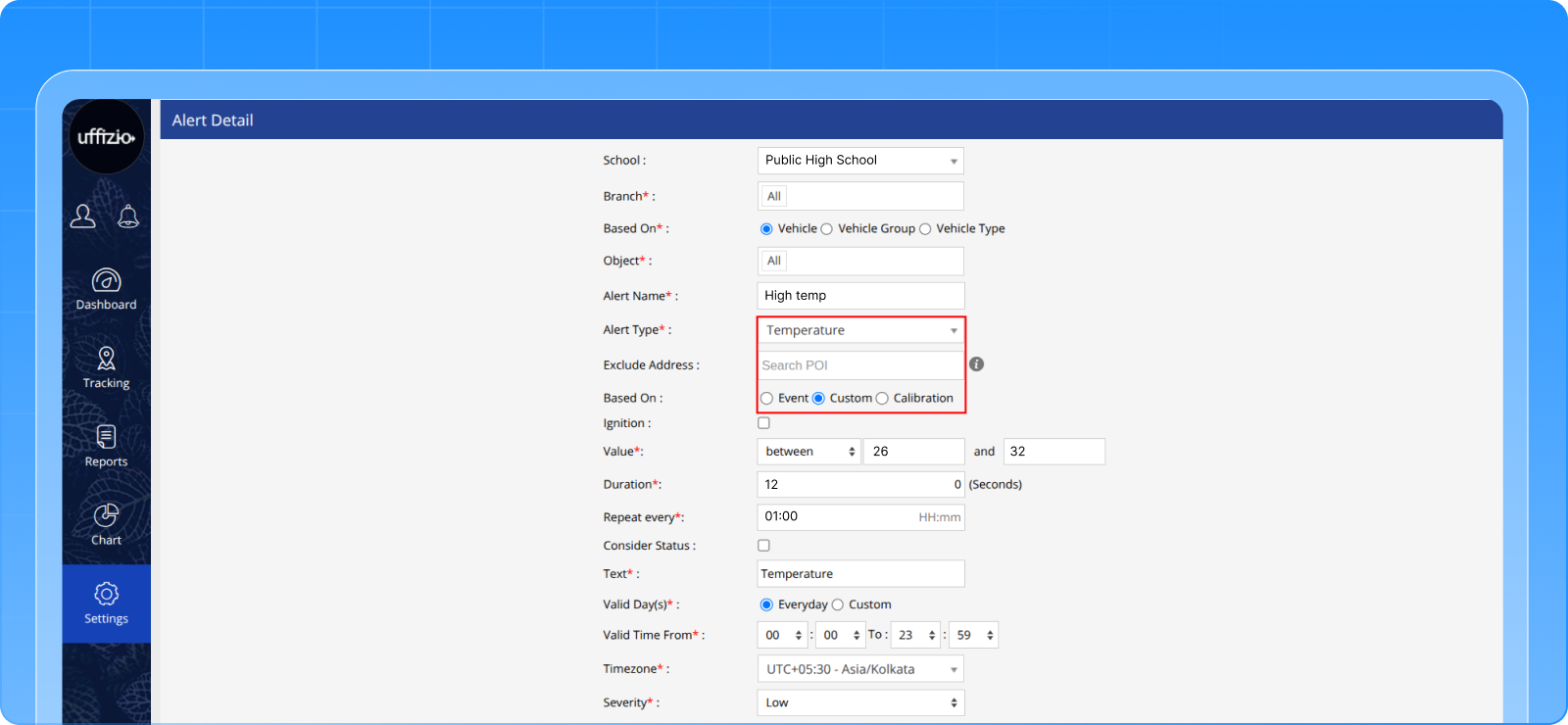
SmartBus now supports event-based alerts for Temperature and Humidity sensors. This upgrade allows alerts to be triggered directly from device-generated events, instead of relying only on analog threshold values. This means faster, more accurate, and more reliable alerts for schools using hardware that sends temperature or humidity events.
Key Enhancements:
1. Temperature Alerts
- Added a new “Based On: Event” option in alert configuration.
- Alerts are triggered instantly when the device sends a temperature event.
- Notifications include temperature value, vehicle number, and location.
2. Humidity Alerts
- Added a “Based On: Event” radio option for humidity alerts.
- Alerts are generated automatically when a humidity event is received.
- Notifications show humidity value, vehicle details, and location.
Benefits:
- Faster and more accurate alerts triggered directly by the device
- Removes dependency on manual threshold configuration
- Cleaner and simpler alert setup for SmartBus users
- More reliable monitoring of sensitive environmental conditions
- No impact on existing custom/analog alert functionality
4. Reminder Widgets Now Available for Reseller Users
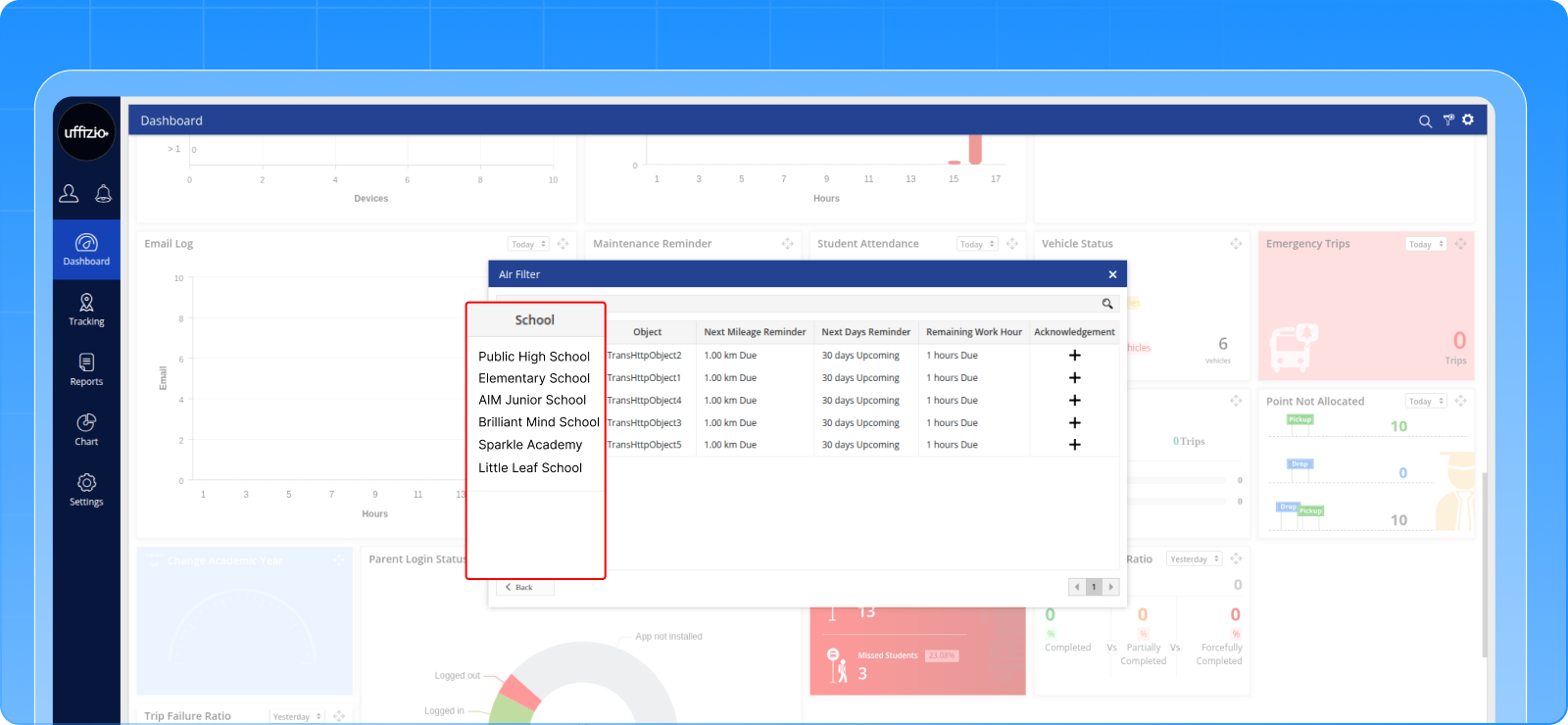
We have expanded the Reminder Widgets feature to support reseller-level visibility. Resellers and reseller sub users can now view Maintenance Reminder and Renewal Reminder widgets directly on their dashboard, helping them track upcoming and overdue reminders across all schools they manage.
Key Enhancements:
1. Maintenance Reminder Widget for Resellers
- Now visible to reseller and reseller sub users.
- Clicking the widget shows school-wise vehicle reminder details.
- Helps resellers stay proactive about service schedules across schools.
2. Renewal Reminder Widget for Resellers
- Also added to the reseller dashboard.
- Displays school-wise vehicle renewals when clicked.
- Supports better monitoring of upcoming and overdue renewals.
Benefits:
- Gives resellers better oversight of school reminders
- Helps in tracking maintenance and renewal schedules across multiple schools
- Ensures timely follow-ups and improved coordination
- No impact on existing school-level widget behavior
5. New Alert Widget Added to the Manager App
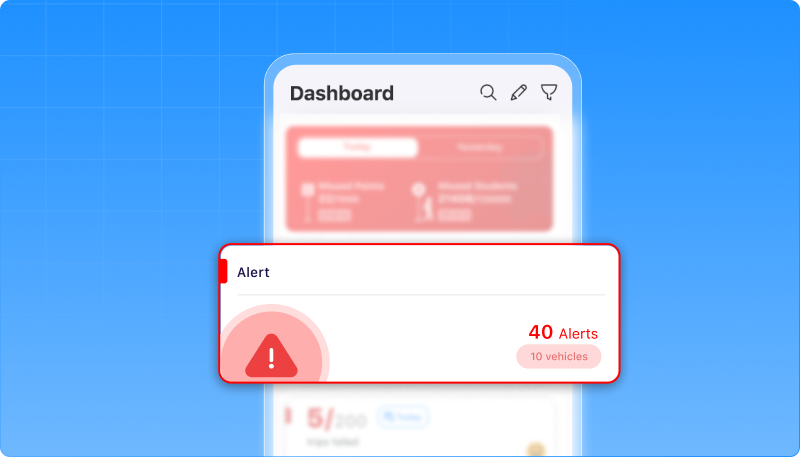
SmartBus now includes a dedicated Alert Widget on the Manager App dashboard. This gives school managers and sub users a quick view of all alerts generated for the day, right when they open the app. It makes monitoring daily issues faster, easier, and more accessible without relying only on notifications or reports.
Key Enhancements:
1. Alert Widget on Dashboard
- Now visible for school and company sub users.
- Shows today’s total alert count along with the total number of vehicles.
- Widget visibility settings can be enabled or disabled as needed.
2. Quick Access to Alert Report
- Tapping the widget instantly redirects users to the detailed alert report screen.
- Allows faster follow-up on critical alerts.
Benefits:
- Gives managers a quick snapshot of daily alert activity
- Makes alert monitoring easier inside the app
- Saves time by providing direct access to the alert report
- Improves awareness of operational issues across all vehicles
Conclusion
These updates bring more clarity, speed, and control to your daily SmartBus operations.
From smoother trip creation to richer dashboards and smarter alerts, every enhancement supports better decision-making for schools and managers.