
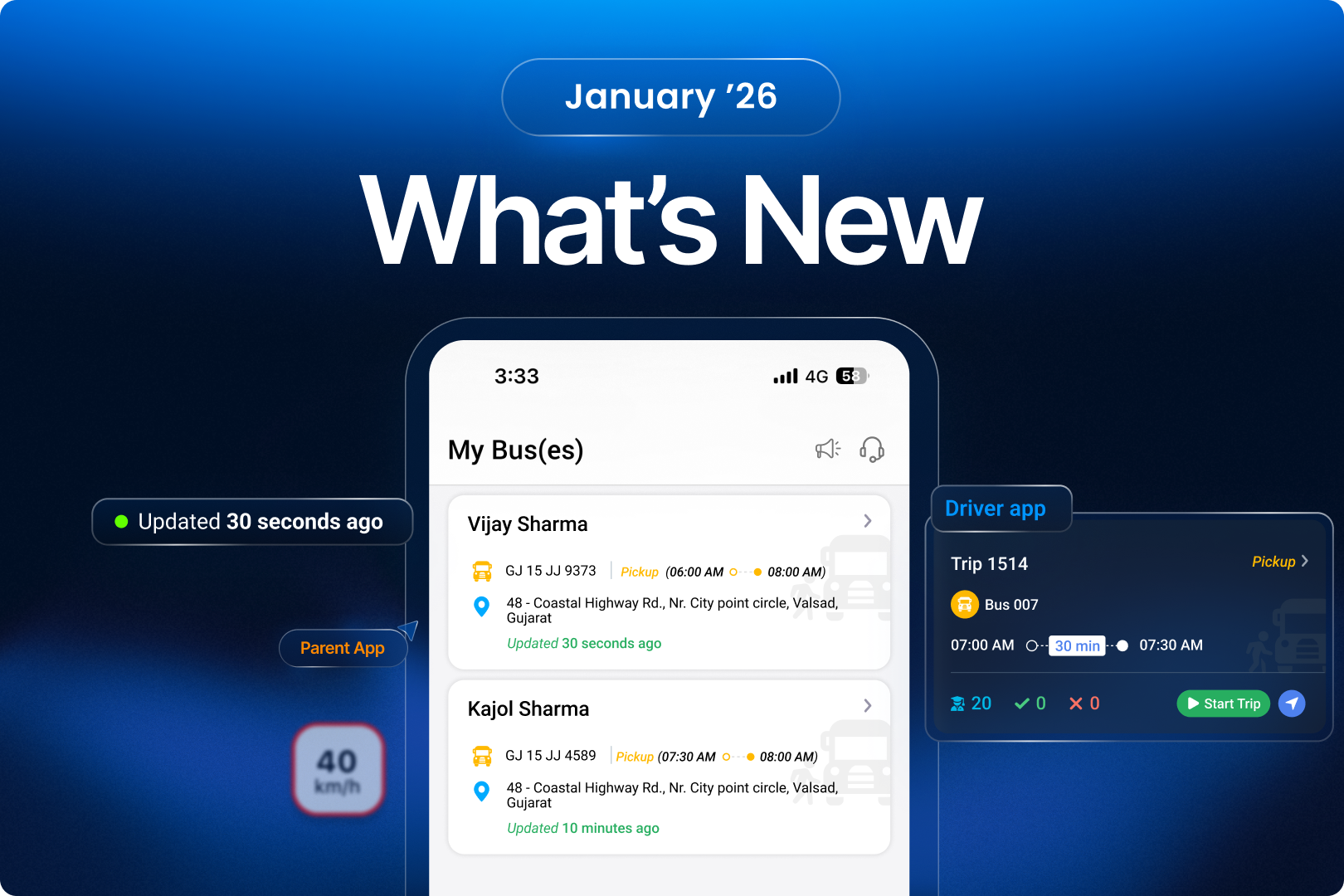
This month’s SmartBus release brings updates focused on tracking precision, driver-side trip control, and stronger reporting visibility. The improvements help schools reduce tracking confusion, capture more accurate student and RFID data, and give both managers and drivers clearer operational control during trip execution.
1. SmartBus
1.1 Parent Tracking Based on Assigned Pickup & Drop Vehicles
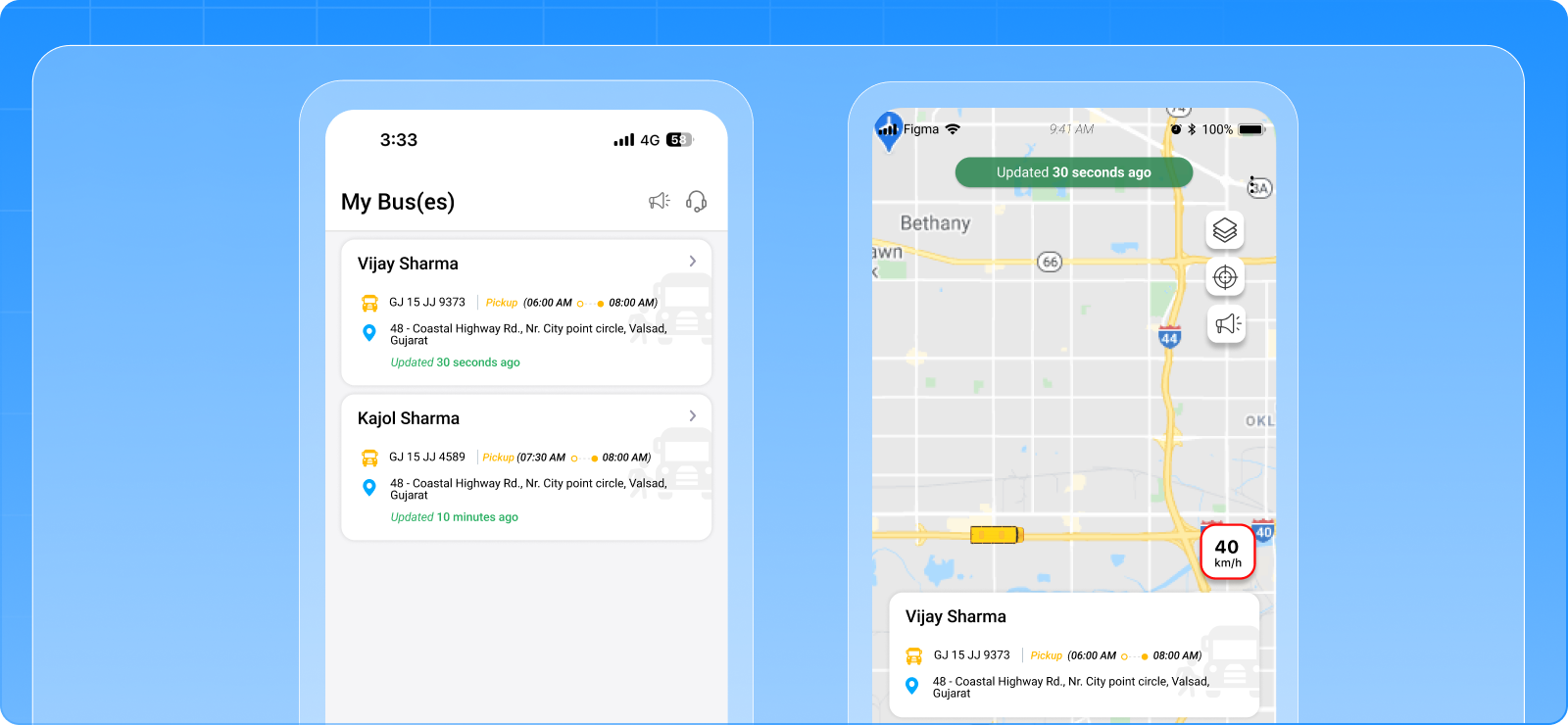
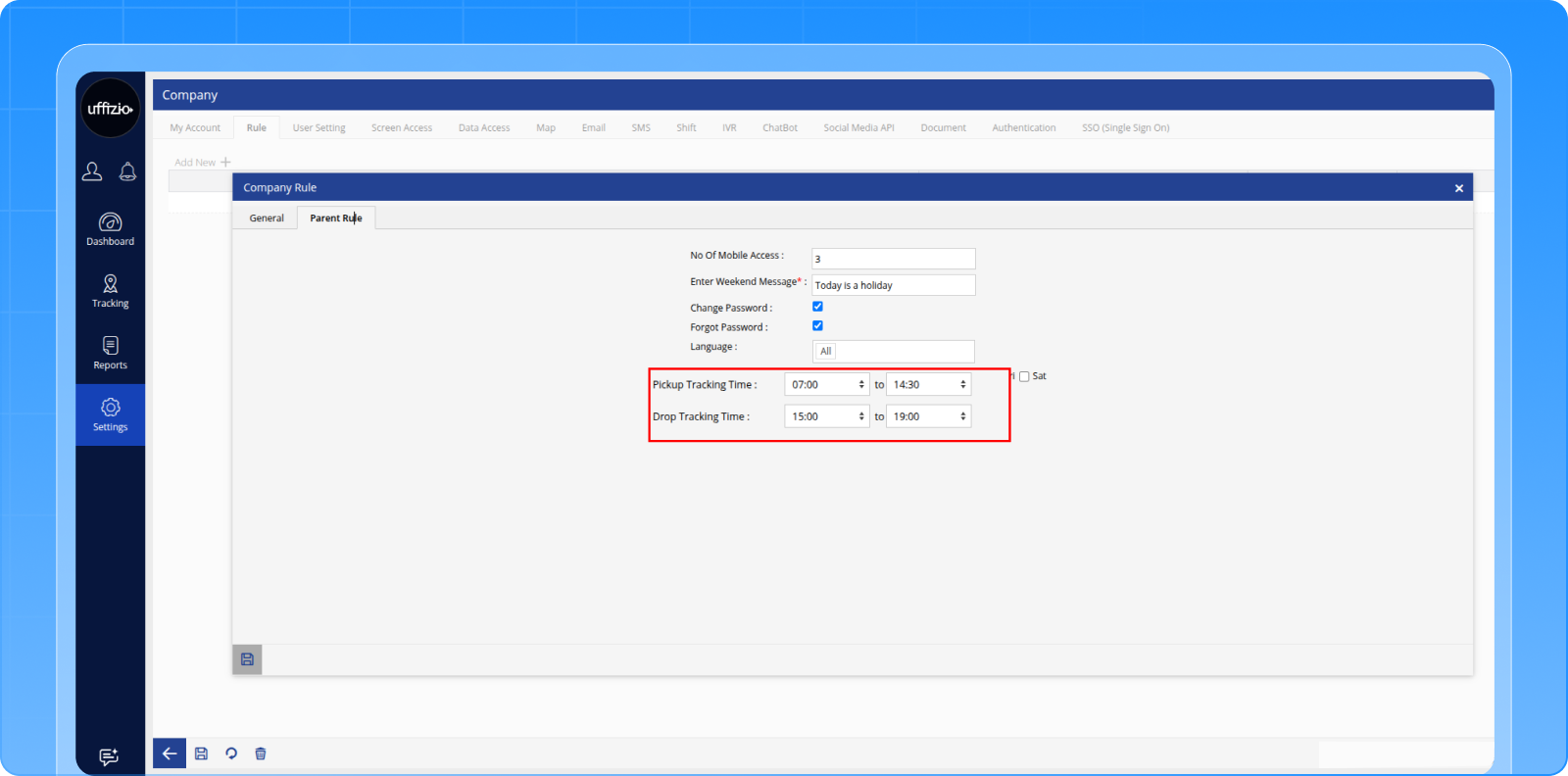
Parent vehicle tracking is now restricted to only the vehicles assigned to each student. Separate pickup and drop vehicle assignments and time windows ensure more accurate and controlled tracking visibility.
Key Points:
- Pickup Vehicle and Drop Vehicle fields added in Student configuration
- Separate pickup and drop tracking time ranges configurable
- Parent App now shows only assigned vehicle tracking
- Vehicle selection option removed from Parent App
- Tracking cards appear only during configured time windows
- Two tracking cards shown if pickup and drop windows overlap
- Bulk upload and bulk update support added for pickup and drop vehicles
Benefits:
- Eliminates confusion from multiple vehicle visibility
- Improves student tracking accuracy for parents
- Supports different vehicles for pickup and drop
- Provides time-controlled tracking visibility
1.2 Parent App Student Address Update
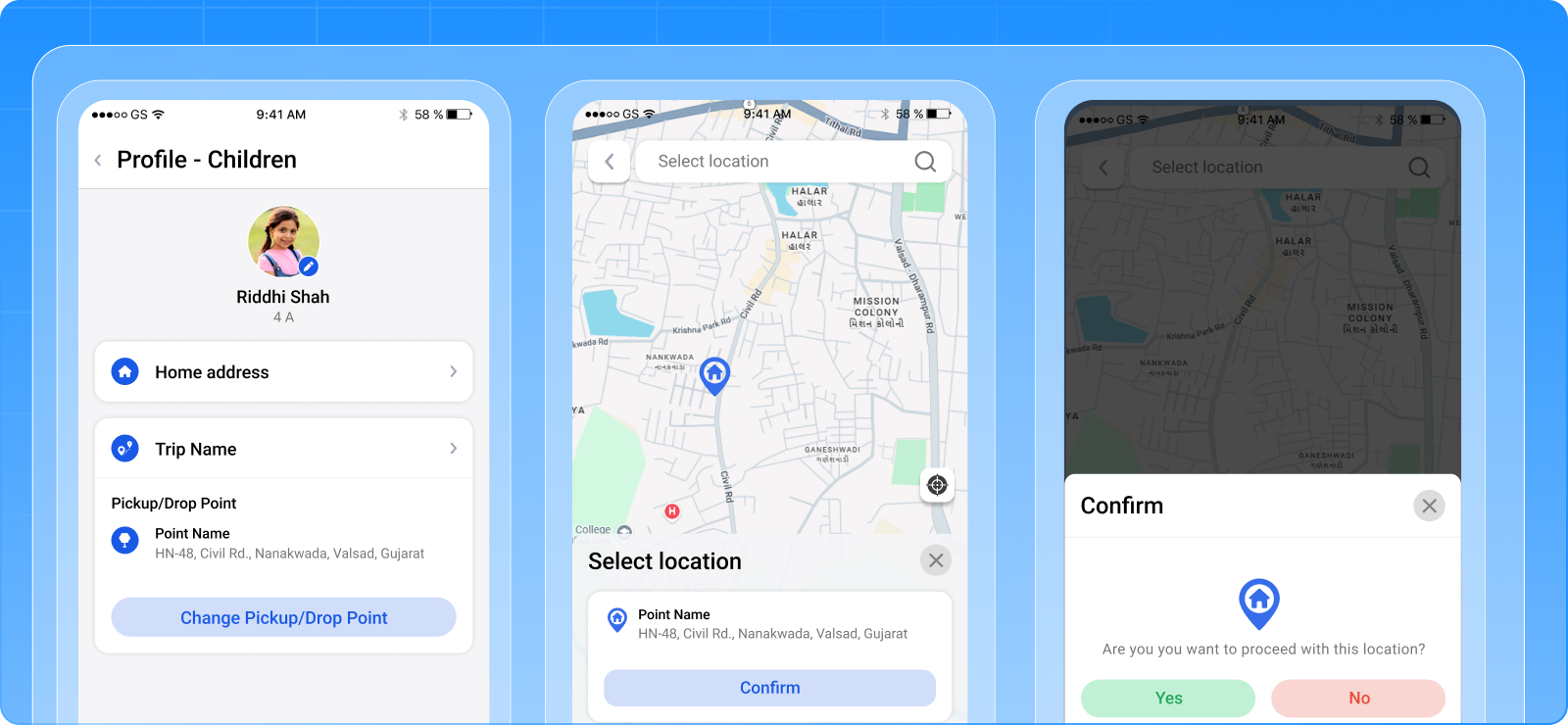
Parents can now add or update each child’s home address directly from the Parent App. The system syncs this address with SmartBus and uses it for distance calculations and reporting.
Key Points:
- Address option added under Parent App → My Children
- Map-based and search-based address selection supported
- Separate address allowed per child
- Student Home Address is now parent-controlled
- Address field becomes read-only for managers
- Address included in export files
Benefits:
- Improves student location accuracy
- Reduces manual admin updates
- Supports better routing and planning data
- Enables parent self-service updates
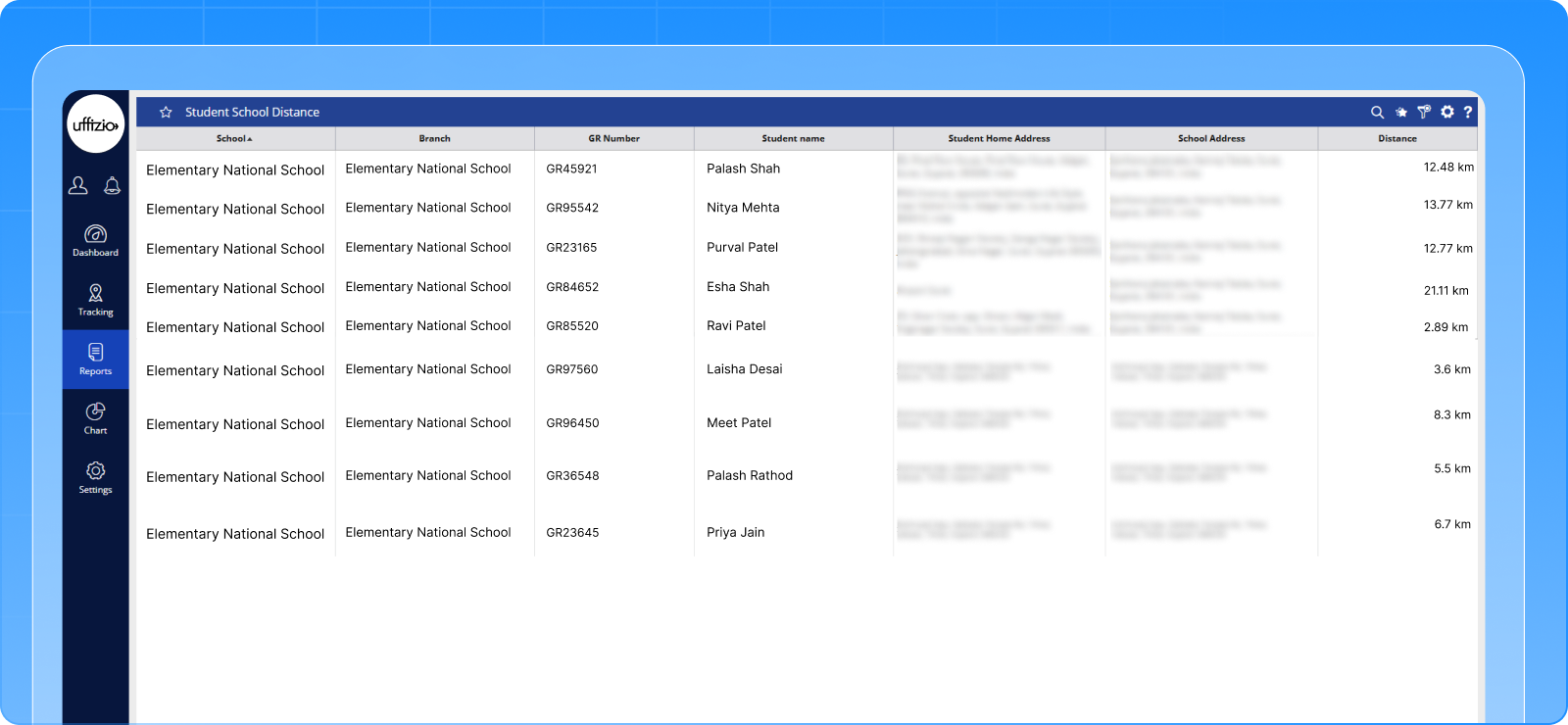
1.3 Student School Distance Report
A new report provides calculated distance between each student’s home address and the school location.
Key Points:
- New report under Reports → Student → Student School Distance
- Shows student address, school address, and distance
- Displays air distance using school-defined units
- Distance-based filters available
- XLS export supported
Benefits:
- Helps schools analyze student coverage areas
- Supports routing and planning decisions
- Enables distance-based operational analysis
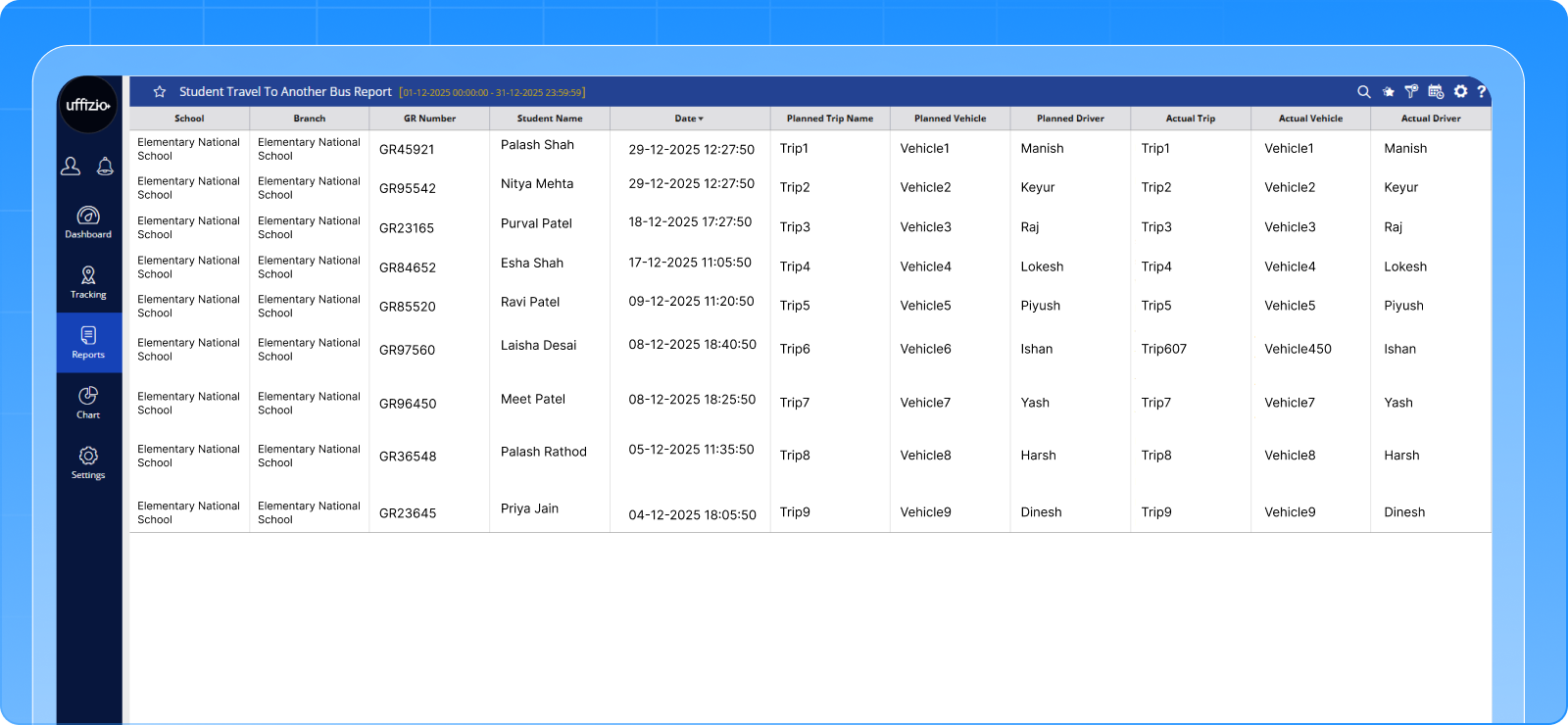
1.4 Student Travel to Another Trip Report
A new report helps track cases where students travel using a different trip than originally assigned, typically detected through RFID mismatches.
Key Points:
- New report under Reports → Student → Student Travel to Another Trip
- Shows planned trip vs actual trip details
- Includes vehicle and driver comparison
- Date and student filters supported
- Export available in Excel and PDF
- Schedule report and API support included
Benefits:
- Improves audit visibility for trip mismatches
- Helps investigate unexpected student travel
- Reduces manual tracking effort
- Strengthens trip compliance monitoring
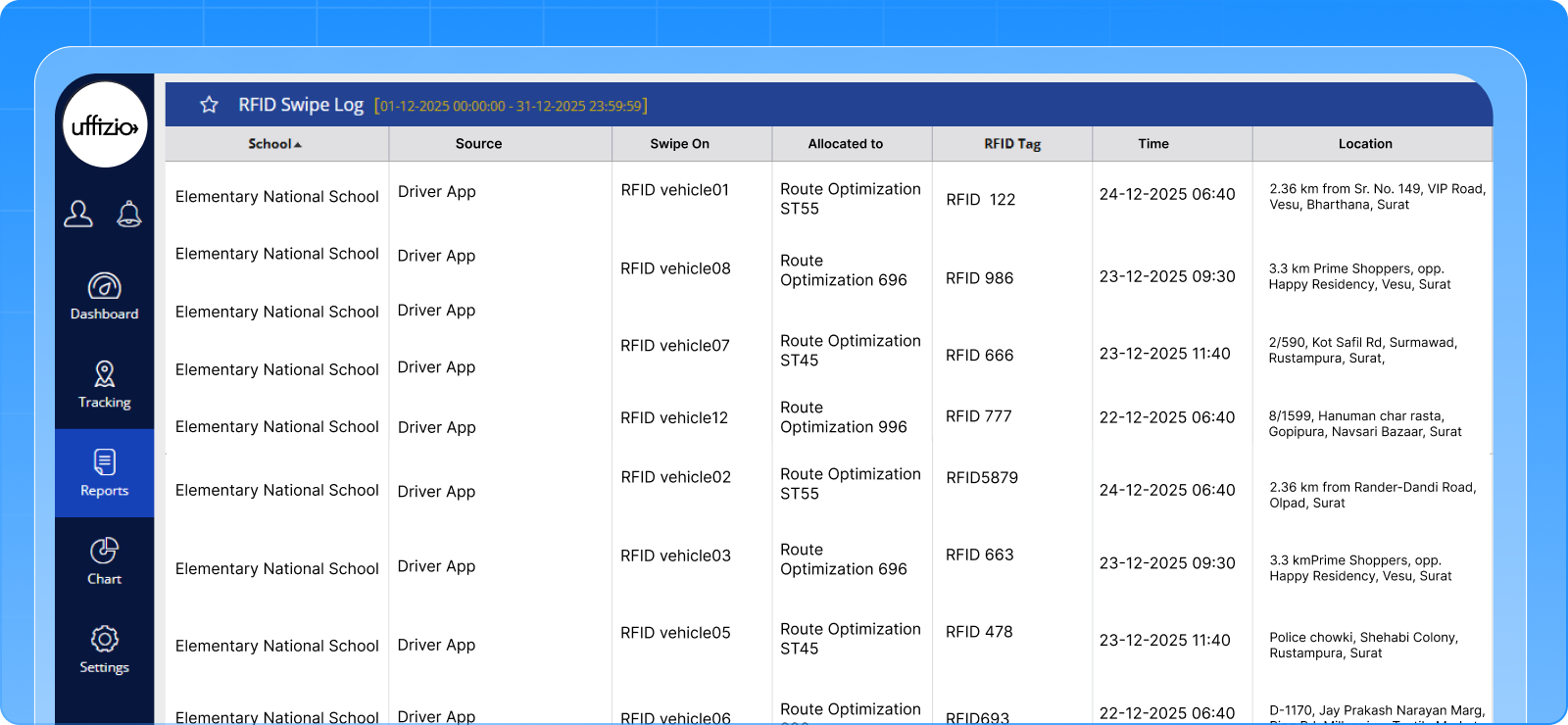
1.5 RFID Swipe Log Report
A consolidated RFID Swipe Log report is now available to view swipe activity across vehicles and driver app sources.
Key Points:
- New report under Reports → Logs → RFID Swipe Log
- Supports swipe data from vehicle and driver app
- Shows RFID tag, allocated user, time, and location
- Coordinates open directly on map view
- Source-based filtering available
- Export to PDF and XLS supported
Benefits:
- Centralized visibility of swipe activity
- Simplifies RFID audit and verification
- Faster investigation of entry and exit events
- Improves monitoring accuracy
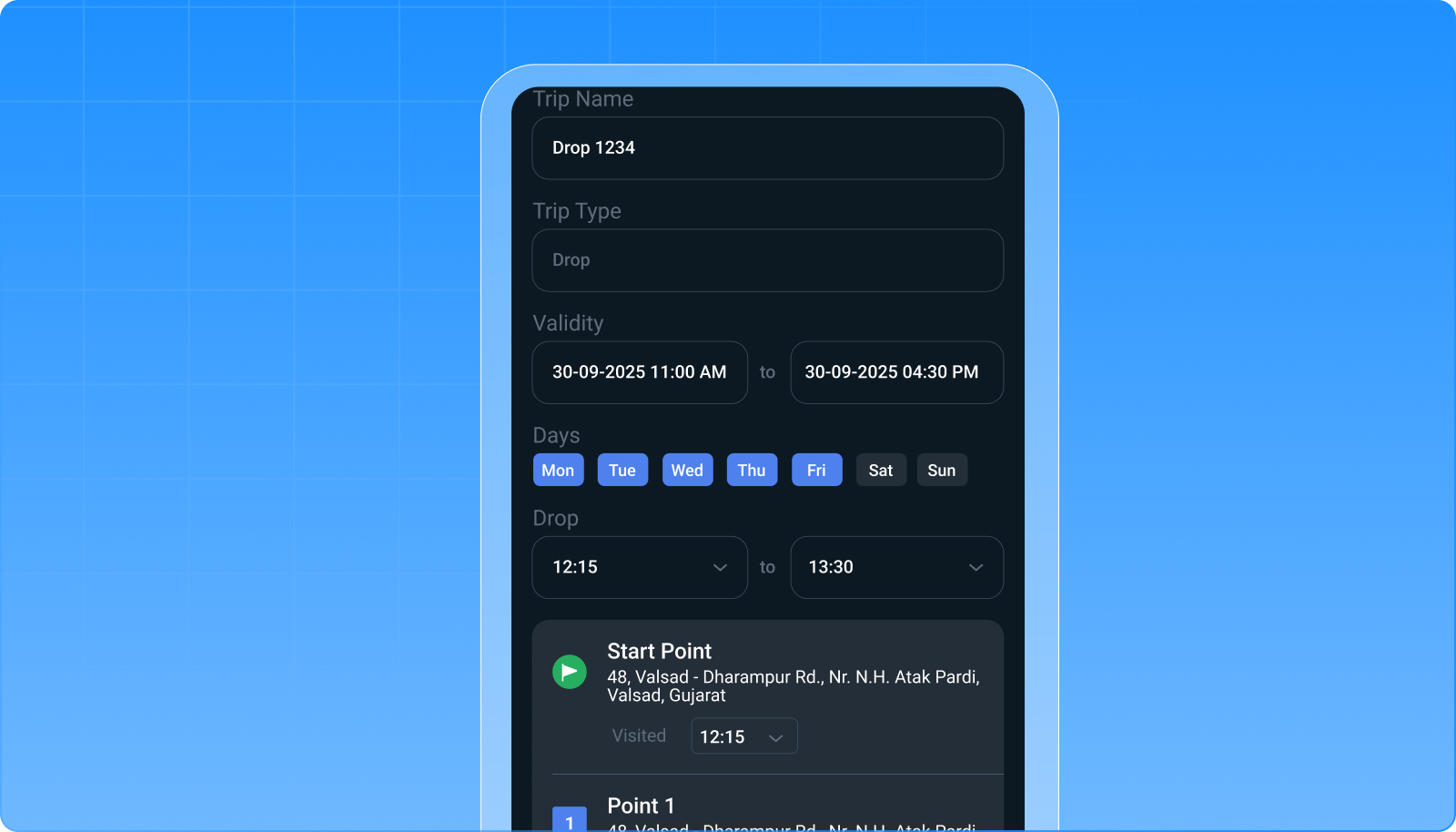
1.6 Driver Trip Creation with Timing & Validity
Drivers can now define trip timing, validity dates, and checkpoint times while creating trips from the Driver App, before manager confirmation.
Key Points:
- Drivers can set trip timing and applicable days
- Trip validity date and time configurable
- Checkpoint times editable by driver
- Driver vehicle auto-assigned to the trip
- Trip saved as Draft after driver submission
- Manager must finalize within defined period
- Conflict checks run at final manager save
Benefits:
- Speeds up trip setup process
- Reduces manager configuration workload
- Maintains approval control with managers
- Improves trip preparation accuracy
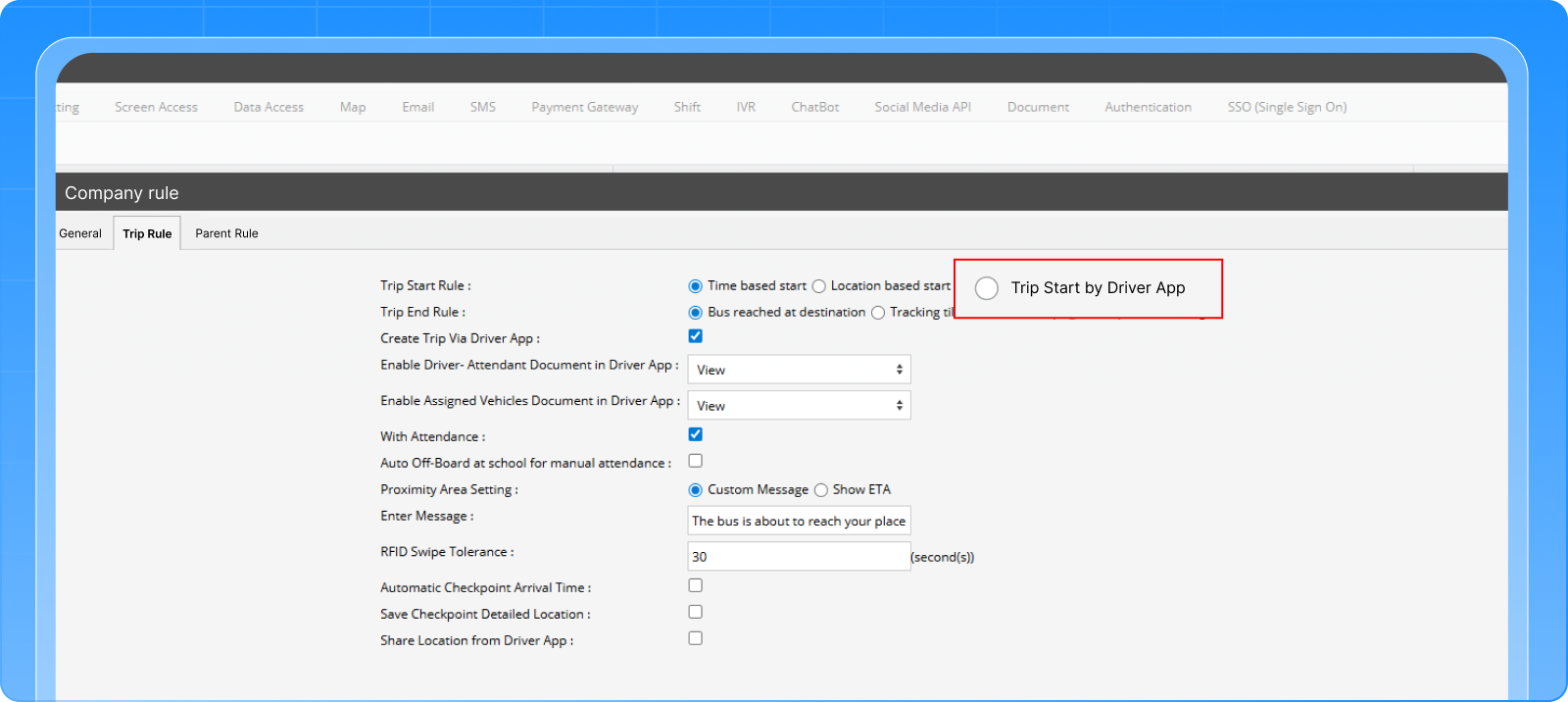
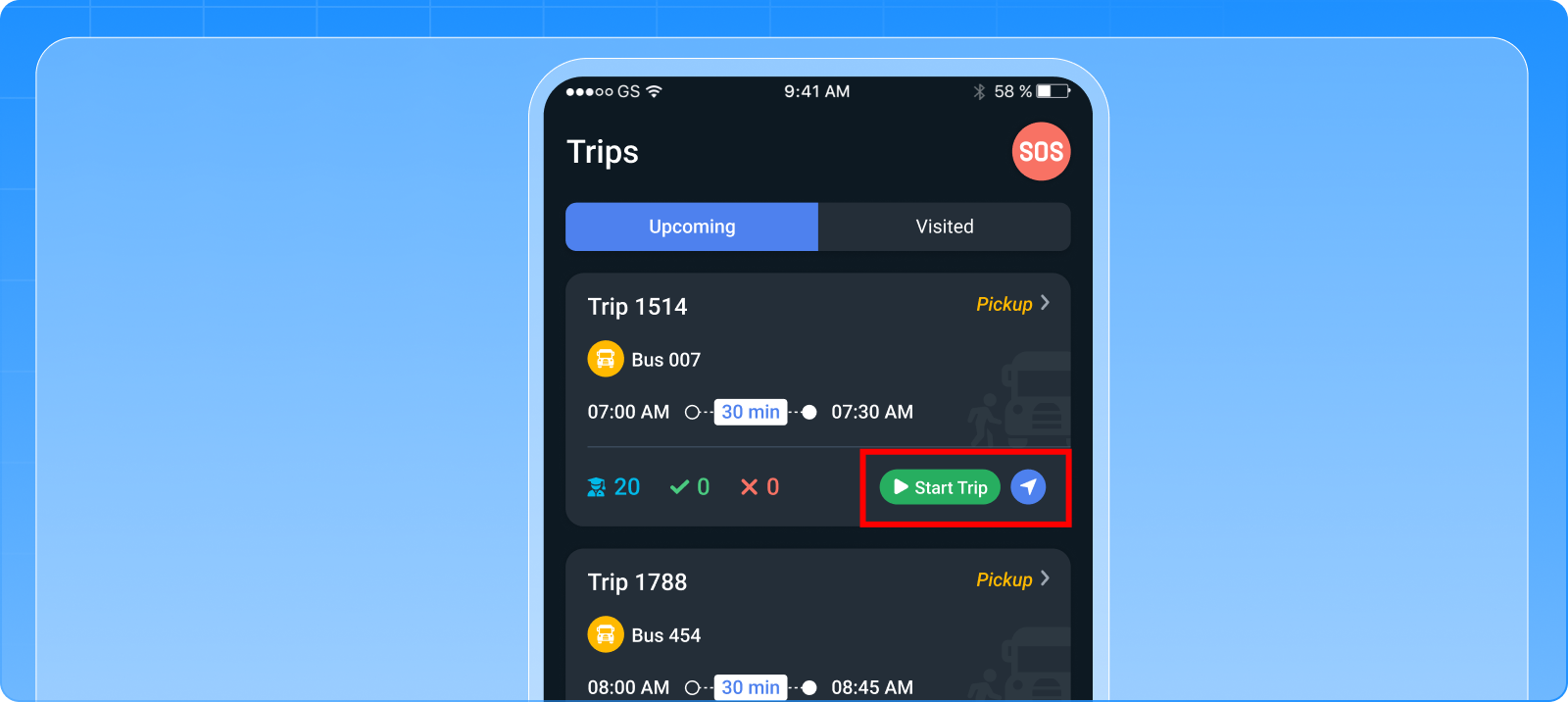
1.7 Driver-Based Trip Start Option
Trips can now be started manually by drivers when enabled in school trip rules. This adds flexibility alongside existing automatic trip start methods.
Key Points:
- New Trip Start by Driver option in Trip Rules
- Start Trip button shown on upcoming trips in Driver App
- Button enabled only at start or buffer time
- Trip starts only when vehicle GPS is active
- Works without changing existing auto-start logic
- Not applicable to completed or failed trips
Benefits:
- Gives drivers controlled trip start flexibility
- Improves real-world trip execution accuracy
- Reduces dependency on only time/location triggers
- Keeps existing trip start methods unchanged
Conclusion
With more controlled parent tracking, expanded reporting coverage, and added driver trip controls, these updates strengthen day-to-day transport monitoring and execution. Schools and transport teams gain better data reliability, clearer visibility, and more flexible trip handling without changing existing core workflows.