Attendance Marking
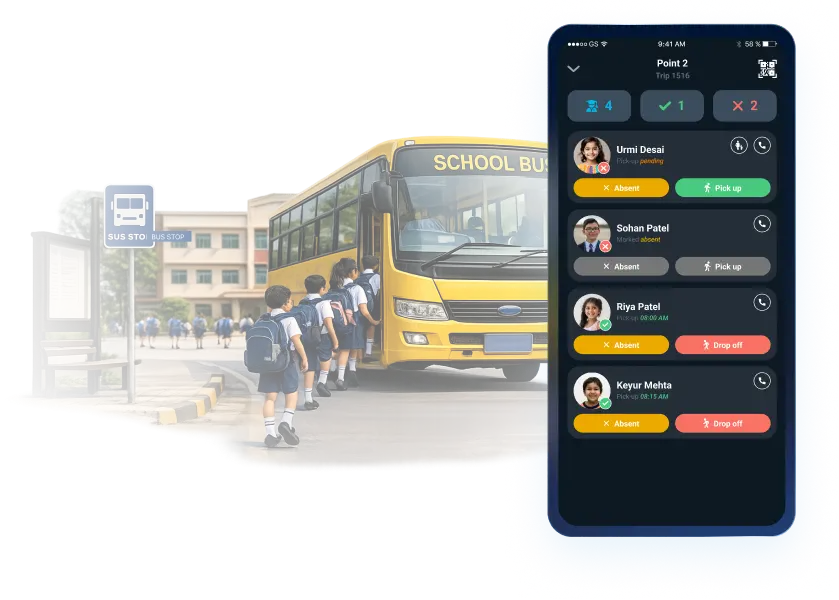
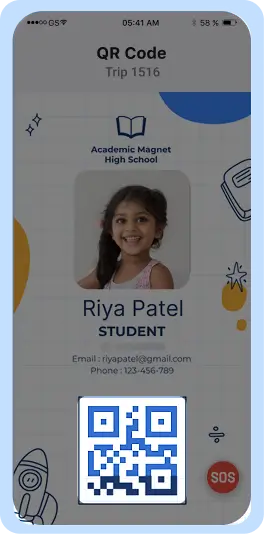
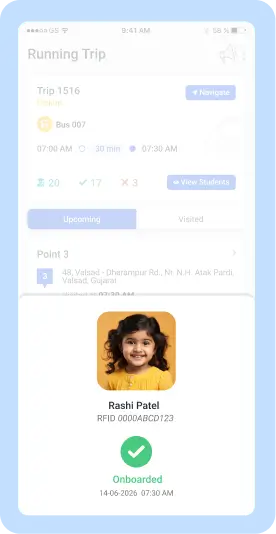
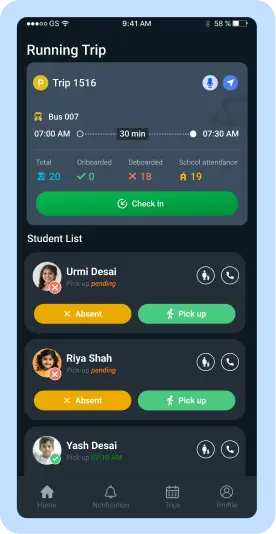
Record student attendance accurately and efficiently with the Driver App. The Attendance Marking feature enables drivers to capture boarding and drop-off attendance using RFID, QR codes, or manual verification. It also allows drivers to confirm student pickups, mark absentees, and maintain accurate attendance records throughout every trip. By digitizing the attendance process, the Driver App helps reduce manual errors while ensuring every student's travel status is properly recorded.
Contact our sales team
×
Highlights of Attendance Marking
The Driver App simplifies attendance management by providing fast, reliable, and organized attendance recording throughout the journey. From student verification during boarding to confirming safe drop-offs, the feature helps drivers maintain accurate transportation records while improving operational efficiency.
Fast & Accurate Attendance Recording
Drivers can quickly record student attendance using multiple verification methods, ensuring every boarding and drop-off is captured accurately. The flexible attendance process minimizes manual effort while supporting different operational requirements.
Real-Time Student Verification
The Driver App allows drivers to verify every student’s travel activity during the journey. Boarding confirmations, drop confirmations, and absent student records help ensure that every student’s transportation status is updated correctly before completing the trip.
Reliable Attendance Management
Digital attendance records improve transparency and simplify daily transportation operations. Drivers can maintain accurate attendance information throughout each trip, helping schools keep transportation records organized while reducing the possibility of missing or incorrect attendance entries.
Expand your knowledge on Attendance Marking
Explore the Complete Guide to Attendance Marking
Download the SmartBus Ebook to explore top school bus tracking features, safety tools, and how it transforms student transport for schools and integrators.
Frequently asked Questions
Drivers can mark attendance using RFID, QR code scanning, or manual attendance directly through the Driver App.
Yes. The app allows drivers to record both boarding and drop confirmations for every student.
Drivers can mark students as absent directly in the Driver App, ensuring accurate attendance records for the trip.
Yes. The system supports RFID, QR, and manual attendance, depending on the school's transportation setup.
Yes. Attendance records are updated as students board and exit the school bus, providing accurate trip information.
Yes. Drivers can verify attendance records and ensure all student boarding and drop-off information has been recorded correctly before ending the trip.
By digitizing attendance, confirming student movements, and reducing manual errors, the Driver App helps drivers maintain accurate records and ensures safer, more efficient transportation operations.
Yes. Authorized drivers can update attendance records before the trip is finalized, depending on the school's configured permissions.
Yes. The Driver App replaces manual attendance registers with a faster and more reliable digital attendance process.
It helps drivers accurately verify student travel, reduce attendance errors, improve operational efficiency, and ensure every student is accounted for during each school bus journey.